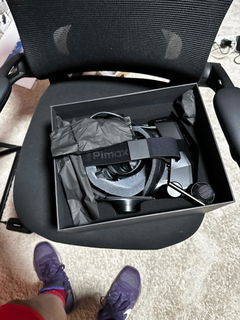
Pimax Headset mit Pimax EVO
- Normaler Preis
- €853,00 EUR
- Verkaufspreis
- €853,00 EUR
- Normaler Preis
-
€1.049,00 EUR
Was ist enthalten?
- Pimax-Headset-Vollzahlungsversion*1
- Pimax EVO-Software
Was ist Pimax Evo?
-
🛋️ 6DOF-Liegemodus — Spielen Sie VR im Liegen. Der Horizont bleibt unabhängig von Ihrer Körperhaltung waagerecht. Perfekt für Filme, Social VR oder einfach zum Entspannen.
-
🔄 Raum-Tracking-Offset — Positionieren Sie Ihre Sicht im Spiel frei neu. Verlassen Sie Ihr Cockpit, beobachten Sie Ihren Rennwagen von oben — erleben Sie die virtuelle Welt aus einem völlig neuen Blickwinkel.
-
🎥 Videoaufzeichnung — Nehmen Sie genau das auf, was Sie im Headset sehen,einschließlich Quadview-Foveated-Rendering, Menüs und Overlays. Bis zu 4K bei 60 fps.
-
✋ Hand-Tracking — Navigieren, klicken, ziehen und wischen Sie mit Ihren Händen — ganz ohne Controller. Funktioniert mit unterstützten Spielen und Apps.
-
🔌 Offener Port — Unsere Display-Pipeline ist jetzt für verifizierte Plugins von Drittanbietern geöffnet.Mit einem nativen SteamVR-Treiber, sodass Sie das Gerät als natives SteamVR-Headset verwenden können.
Unterstützte Headsets:
Crystal Light, Crystal Super, Dream Air, Dream Air SE
Wie erhalte ich einen Download-Link für Pimax EVO?
Wir senden Ihnen den Download-Link per E-Mail, sobald Ihre Bestellung erfüllt wurde.


Choose the Pimax headset that suits you best.
Each one pushes the limits for you.


PC-Anforderungen für optimale Leistung
Mindestanforderung
Geeignet zum Spielen von Gelegenheitsspielen wie Beat Saber mit mittlerer Erfahrung. Für Flug- und Rennsimulationen spielbar, jedoch mit weniger idealer Grafikqualität.
GPU:
RTX 2070, RTX 2070S, RTX 2080, RTX 2080S, RTX 2080Ti, RTX 3060, RTX 3060Ti, RTX 3070, RTX 3070Ti, RTX 4060, RTX 4060Ti, RX 5700XT, RX 6700XT
CPU:
Intel i5 - 12x00 Serie oder höher
Intel i7 - 10x00 Serie oder höher
Intel i9 - 10x00 Serie oder höher
oder AMD-Prozessor mit vergleichbarer Leistung
RAM: 16GB
Speicher: 5GB freier Speicherplatz
GPU IO-Anschluss: DP1.4a x1
USB: USB 3.0 oder höher
Betriebssystem: Win10 (x64) / Win11
Empfohlen
Für Flug- und Rennsimulationen kann eine mittlere Grafikqualität durch Anpassung der Parameter erreicht werden.
GPU:
RTX 3080, RTX 3080Ti, RTX 3090, RTX 4070, RTX 4070S, RX 6800, RX 6800XT, RX 6900XT, RX 6950XT
CPU:
Intel i5 - 13x00 Serie oder höher
Intel i7 - 12x00 Serie oder höher
Intel i9 - 12x00 Serie oder höher
oder AMD-Prozessor mit vergleichbarer Leistung
RAM: 16GB
Speicher: 5GB freier Speicherplatz
GPU IO-Anschluss: DP1.4a x1
USB: USB 3.0 oder höher
Betriebssystem: Win10 (x64) / Win11
Beste Erfahrung
Erzielt die beste Grafikqualität und Erfahrung für Flug- und Rennsimulationen.
GPU:
RTX 4070Ti, RTX 4070Ti S, RTX 4080, RTX 4080 S, RTX 4090, RX 7900XT, RX 7900XTX
CPU:
Intel i7 - 13x00 Serie oder höher
Intel i9 - 13x00 Serie oder höher
oder AMD-Prozessor mit vergleichbarer Leistung
RAM: 32GB
Speicher: 10GB freier Speicherplatz
GPU IO-Anschluss: DP1.4a x1
USB: USB 3.0 oder höher
Betriebssystem: Win10 (x64) / Win11
Laptop unterstützt
Der Crystal Light/Super funktioniert mit Laptops, solange der Laptop einen direkten GPU-Ausgang zu einem MiniDP- oder USB-C-Anschluss hat. Sie benötigen einen Adapter, der die DP 1.4a-Spezifikation bei 8K-Auflösung mit 60 Hz unterstützt. Im Zweifelsfall öffnen Sie die Nvidia-Systemsteuerung, gehen zu den PhysX-Einstellungen und teilen einen Screenshot davon mit unserem Kundensupport.
Häufig gestellte Fragen
Ja. EVO ist ein völlig eigenständiger Client, der den Standard-Client enthält. Sie können frei zwischen den beiden wechseln – Einstellungen, Profile und Geräteverbindungen in Pimax Play bleiben davon unberührt.
Hand-Tracking ist nur auf SLAM-Headsets verfügbar. In der aktuellen Version ist es für Dream Air und Dream Air SE freigegeben. Crystal Light und Crystal Super werden in einem späteren Update unterstützt.
Der native SteamVR-Treiber von Sboys3 unterstützt derzeit nur die Dream Air Lighthouse-Version. Die Unterstützung für weitere Pimax-Headsets wird aktiv entwickelt – einschließlich Dream Air SE, Crystal Light und Crystal Super, sowohl für SLAM- als auch für Lighthouse-Varianten.
Bei technischen Problemen, die nicht vom Benutzer verursacht wurden und innerhalb der Garantiezeit auftreten, ersetzt Pimax das Headset kostenfrei für den Benutzer. Alle Kosten, einschließlich Versand, werden von Pimax übernommen.
Das hängt vom Zustand des Headsets und dem Rückgabegrund ab. Für weitere Details siehe bitte: https://pimax.com/pages/returns-refunds
Die Garantiezeit beginnt ab dem Datum, an dem Sie das Produkt erhalten.
Nein. Das Crystal Super ist ein reines PCVR-VR-Headset ohne Batterien. Es muss immer über sein DP-Kabel verbunden sein, daher unterstützt es kein WLAN-Streaming oder den 60G Airlink.
Die Dream Air Lighthouse-Version ist mit den folgenden SteamVR-Controllern kompatibel:
- Valve Index-Controller werden separat verkauft (linker und rechter Controller sind nicht als Paar gebündelt).
https://store.steampowered.com/app/1615160/Valve_Index_Replacenment_Left_Controller/
https://store.steampowered.com/app/1615180/Valve_Index_Replacenment_Right_Controller/ - Pimax Sword
https://pimax.com/products/pimax-sword-controller - HTCVive-Controller
https://www.vive.com/us/accessory/controller2018/ - Shiftall FlipVR
https://en.shiftall.net/products/flipvr - Und GripVR
https://en.shiftall.net/products/gripvr - UDCAP-Handschuhe (zusätzliche Tracker erforderlich)
https://udexreal.com/